Vodafone Giga5G Mobile Data Plans


Unleash 5G Speeds with Vodafone Fiji! We offer flexible prepaid 5G mobile internet plans with generous data bundles and varied validity periods to suit different usage needs. Whether you need large monthly quotas or shorter, smaller data packages, there’s something for you.


Giga5G Daily Plan

$5

20GB
24 Hours
✓ 5G Speeds
✓ Data Rollover
✓ Auto Renewal
✓ Hero Plan Badge
Giga5G Weekly Plan

$12

50GB
7 Days
✓ 5G Speeds
✓ Data Rollover
✓ Auto Renewal
✓ Hero Plan Badge
Giga5G Fortnightly Plan

$20

80GB
14 Days
✓ 5G Speeds
✓ Data Rollover
✓ Auto Renewal
Giga5G Flex Plan

$30

170GB
25 Days
✓ 5G Speeds
✓ Data Rollover
✓ Auto Renewal
✓ Hero Plan Badge
Giga5G Monthly Plan

$40

260GB
30 Days
✓ 5G Speeds
✓ Data Rollover
✓ Auto Renewal
✓ Hero Plan Badge
Giga5G Monthly Plus

$50

350GB
30 Days
✓ 5G Speeds
✓ Data Rollover
✓ Auto Renewal


Where is 5G Available?


Terms & Conditions

The following terms and conditions apply to Vodafone Giga5G Mobile Data Plans:

  • Usability:  Prepaid Vodafone Mobile Internet Users can access 5G services using the following 5G devices provided that their software updates are up-to-date. This list of devices will be updated as soon as device manufacturers release new 5G-ready software updates.
  • Samsung Galaxy S26
  • Samsung Galaxy S26 Ultra
  • Samsung Galaxy S25
  • Samsung Galaxy S25+
  • Samsung Galaxy S25 ultra
  • Samsung Galaxy S24
  • Samsung Galaxy S24+
  • Samsung Galaxy S24 ultra
  • Samsung Galaxy S24 FE
  • Samsung Galaxy S23 FE
  • Samsung Galaxy S23
  • Samsung Galaxy S23+
  • Samsung Galaxy S23 Ultra
  • Samsung Galaxy Z Fold 7
  • Samsung Galaxy Z Flip
  • Samsung Galaxy A57 5G
  • Samsung Galaxy A56 5G
  • Samsung Galaxy A55 5G
  • Samsung Galaxy A54 5G
  • Samsung Galaxy A37 5G
  • Samsung Galaxy A36 5G
  • Samsung Galaxy A35 5G
  • Samsung Galaxy A34 5G
  • Samsung Galaxy A26 5G
  • Samsung Galaxy A25 5G
  • Samsung Galaxy A17 5G
  • Samsung Galaxy A16
  • Apple iPhone 12 and above using iOS 26.2 and above
  • Xiaomi
  • Nubia
  • TCL
  • Oppo
  • Motorola
  • OnePlus
  • Honor
  • Huawei
  • ZTE
  • Auto-renewal: Vodafone Giga5G Mobile Data plans subscribed from *555# and *181# are set to auto-renew after their expiry period. To un-subscribe from the 5G data plans, dial *555# or *181#, select the plan you are subscribed to and select Option 2 to "Un-subscribe".
  • Data rollover: Remaining data will rollover upon auto-renewal or re-subscription of any rollover Data Plan before expiry. The remaining data will roll over to the furthest data plan expiry.
  • Exclusions: Rollover and Auto-renewal do not apply to Vodafone Mobile Data Gift Plans.
  • 5G requirements: To use Vodafone Prepaid 5G Mobile Internet Services, you must have a 5G-capable smartphone updated with a special 5G software update, be in a 5G coverage area, have a 5G-enabled data plan, and ensure that the network mode on your device is set to 5G. Note: Power Saving features may restrict your phone from accessing 5G in order to conserve battery power. Disable Power Saver Mode to access 5G. Customers using a 4G smartphone or a 5G smartphone that has not received a special 5G software update from their device manufacturer, or live outside a 5G coverage area can purchase and use Giga5G data plans at 3G/4G speeds.
    • Special 5G software update: Some 5G smartphones are not 5G-Ready yet as they need a special software update to connect to 5G. These updates are released by smartphone manufacturers. Manufacturers are working to release these updates as quickly as possible. After manufacturers have released a special 5G software update patch, customers will be notified by SMS to update their software.
    • Validity: Promotion is valid until further notice.


    Note 20 Terms and Condition

    • Each text cost 99 cents.
    • Multiple entries are allowed.
    • Prizes cannot be redeemed for cash.
    • Promotion applicable to Vodafone Prepay, Postpay & Inkk customers only.
    • Vodafone mobile numbers start with 80, 83, 86, 89, 90, 91, 92, 93, 94, 97, 99, 22, 27, 28, and 29.
    • Inkk mobile numbers start with 84, 87, 95, 96, 98, 21 and 20.
    • IOU credit can be used.
    • Picture is for illustration purpose only.
    • Promo ends 30th September, 2020.
    • For Queries call Vodafone Customer Care on; Vodafone Prepay: 124(Free) or 123 (Charged), Vodafone Postpay: 125 (Free), Inkk Mobile: 444 (Free) or 443 (Charged).
    • Conditions Apply

    USSD Fees and Charges

    Balance Check – $0.10

    Mini Statement (Transaction Log) – $0.20


    M-PAiSA App Fees and Charges

    QR Payment – No fees and charges apply

    Balance Check – Free

    Mini Statement (Transaction Log) – Free
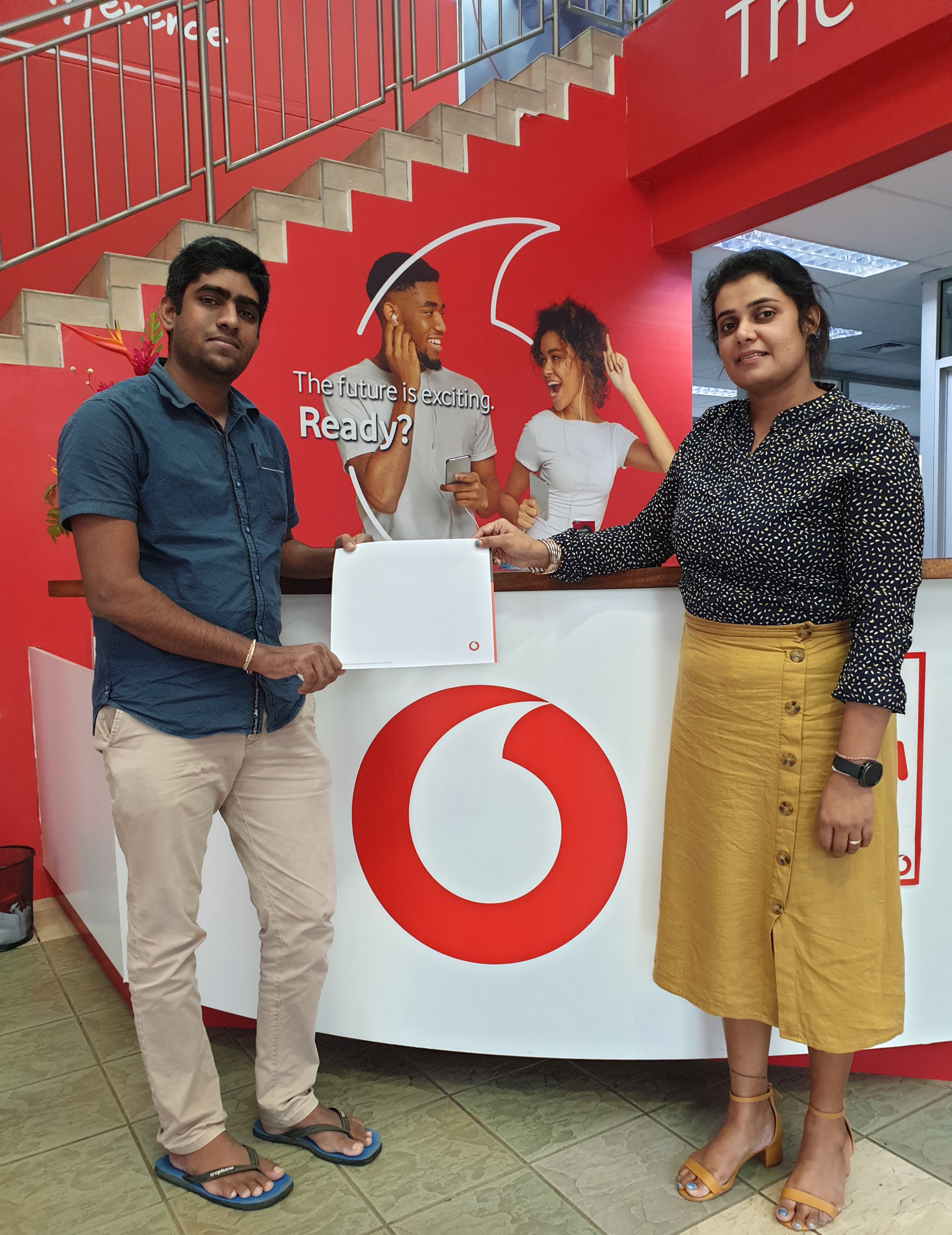
    Second Prize winner Akshy Kumar won himself $7,000.

    SMS Game_Winner 2

    Third Prize winner Kitione Lalakomacoi won himself $3,000.

    Deel Reel 2

    First Prize winner Adrian Alamu won himself $14,000.

    Deep Reel


    Congratulations to the lucky winners who have won cool prizes via Zumba Subscribe and Win Promotion!

    1. Marika Ravutu of Nasinu won himself Samsung Galaxy Fit E
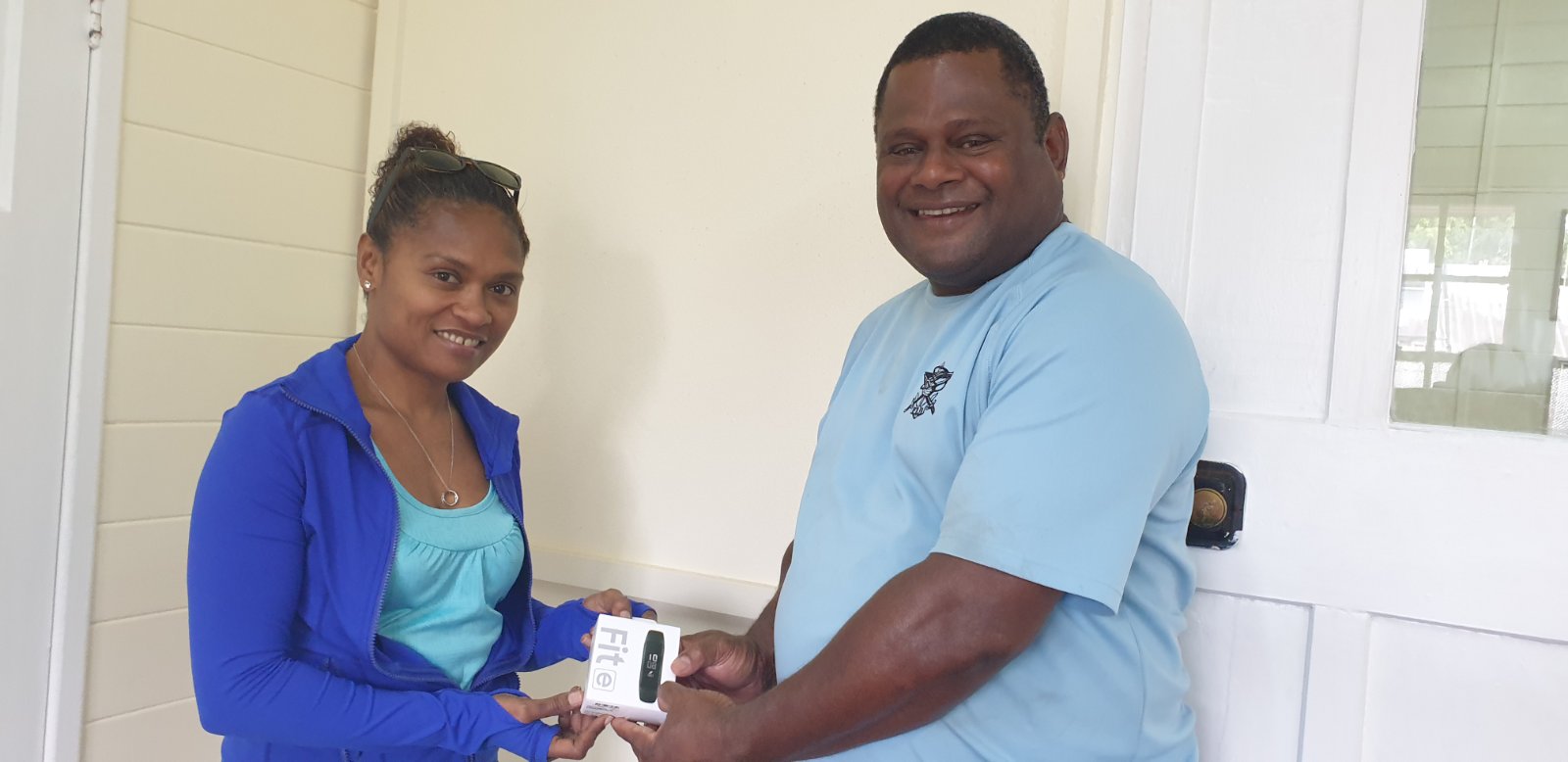
    smartphone winner 1_2020-10-01_10-56-26


    2. Roselyn Khan of Suva won herself $50 worth of Data (200GB)


    Stay tuned for more awesome promotions and prizes.

    11. What are the system requirements for installing Norton security?

    Below are the system requirements for different operating systems:


    Android

    Android™ 4.1 or later 1,2,4

    • 50 MB of storage

    • Works with Android phones and tablets that have the Google Play app installed.


    iOS

    iPhones or iPads running the current and previous two versions of Apple iOS.


    Browser Support for Web Protection

    • Android standard browser

    • Firefox for Android 37.0.2 or later

    • Google Chrome 18 for Android or later

    • Opera 8.0 or later

    • Samsung standard browser 1.0 or later

    • Safari on iOS


    Desktop Browser Support for Norton Mobile Security Portal

    • Google Chrome 14 or later

    • Microsoft Internet Explorer 7 or later

    • Mozilla Firefox 5 or later

    • Opera 11 or later

    • Safari 5 or later


    Mobile Browser Support for Norton Mobile Security Portal

    • Android standard browser 1.5 or later

    • Google Chrome for Mobile 1.0 or later

    • Safari 5.1 or later


    10. Norton Mobile Security detects a known app as a High or Medium Risk on my Android device?

    The App Advisor feature of Norton Mobile Security scans all the installed apps on your device for access to your personal data, ads displayed, background data usage, unusual behaviour, and background battery usage. Depending on the results, it flags the apps as a High or Medium Risk. You can then read the detailed report about the app and take an informed decision whether to trust the app or uninstall it. If you want to trust the app that is detected as High or Medium risk and continue using it, add it to the trusted list. 


    9. Can I transfer my Norton product to a new device?

    Your Norton subscription comes with a limited number of devices (3 plans available - 1 Device, 3 Device & 5 Devices) to install Norton on various devices. If you have used up your licenses, you may need to remove a license from an unused device to allow installation on a new device.


    8. What can I do if my activation key does not work?

    Visit https://www.norton.com/support for assistance.


    or


    You can also write and email to the Norton helpdesk specially created for troubleshooting activation issues on: PacificConsumer@nortonlifelock.com  

    7. How do I apply licenses to my other devices if I have bought a multiple device license subscription?

    To apply licenses to other devices, please return to the following link and follow the onscreen instructions: https://www.norton.com/setup


    6. Do I need to create a Norton account?

    Yes, you will need to setup a Norton account, all you need is an email address.

    5. How do I install Norton Security on my Device?

    Firstly, you will need to purchase a Norton security solution from your nearest Vodafone outlet and then follow the three simple steps below:


    Step1:

    Enter https://www.norton.com/setup into your web address bar


    Step2:

    Enter the License key purchased from Vodafone outlets


    Step3:

    Click Next and follow the onscreen instructions

    4. Where can I purchase Norton Security?

    The product is available at Vodafone major retail outlets throughout Fiji. 

    3. How did my device become infected?

    Your device might have infected due to any of the following scenarios:

    • Clicking on an intriguing pop-up ad which contains a Trojan
    • Opening a malicious email attachment
    • Downloading a virus from a file-sharing program
    • Your security software was not updated with the latest virus definitions
    • Your system was infected with malware before any security solution was installed

    2. How do I know if I have a virus or other threats?

    If you have a virus on your PC/Mobile/Tablet, you might notice some of the following symptoms:


    • Blinking icons or yellow triangles in the lower right corner of your screen
    • Frequent pop-up windows, especially the ones that encourage you to visit unusual sites or download antivirus or other software.
    • Error messages
    • Changes to your home page
    • Mass emails being sent from your email account
    • Frequent crashes or unusually slow computer performance
    • Unknown programs that start up when you start your computer.

    1. What is Norton Security?

    Norton Security is a cross-platform security suite that provides multiple defences to protect your devices against viruses and malware. This is a prepaid subscription-based product with 12 months license.

    1. What is MPAiSA?

    M-PAiSA is a Vodafone Money Transfer Service that enables you to send and receive money anywhere in Fiji using your Vodafone or Inkk mobile phone. You can also receive money from Overseas. You do not need a bank account to use this service.

    M-PAiSA provides an instant, secure, affordable and convenient means to sending & receiving money to any mobile phone anywhere in Fiji and is available to every registered subscriber on the Vodafone network, whether on Prepay or Postpay or Inkk. Registration to access the M-PAiSA service is absolutely FREE!

    Standard Charges while Roaming

    Copyright © 2026 Vodafone Fiji.   Privacy Policy  |  Terms & Conditions  |  Sitemap