Unleash 5G Speeds with Vodafone Fiji! We offer flexible prepaid 5G mobile internet plans with generous data bundles and varied validity periods to suit different usage needs. Whether you need large monthly quotas or shorter, smaller data packages, there’s something for you.
The following terms and conditions apply to Vodafone Giga5G Mobile Data Plans:
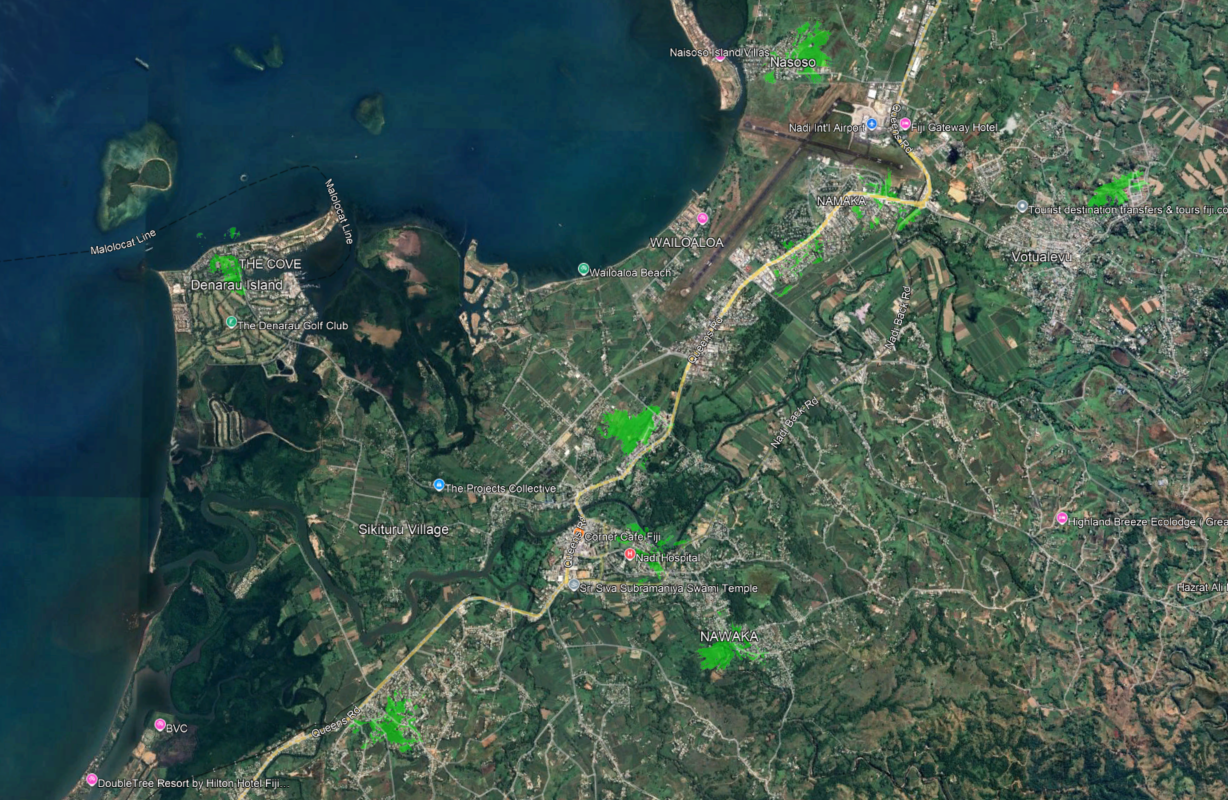
Nawaka Village, Nalagi Hotel, Namaka CBD, Malolo, Nakurakura - Nadi Back Road, Waqadra - Namaka, Black Rock - Votualevu, Nasoso, Westin Resort – Denarau
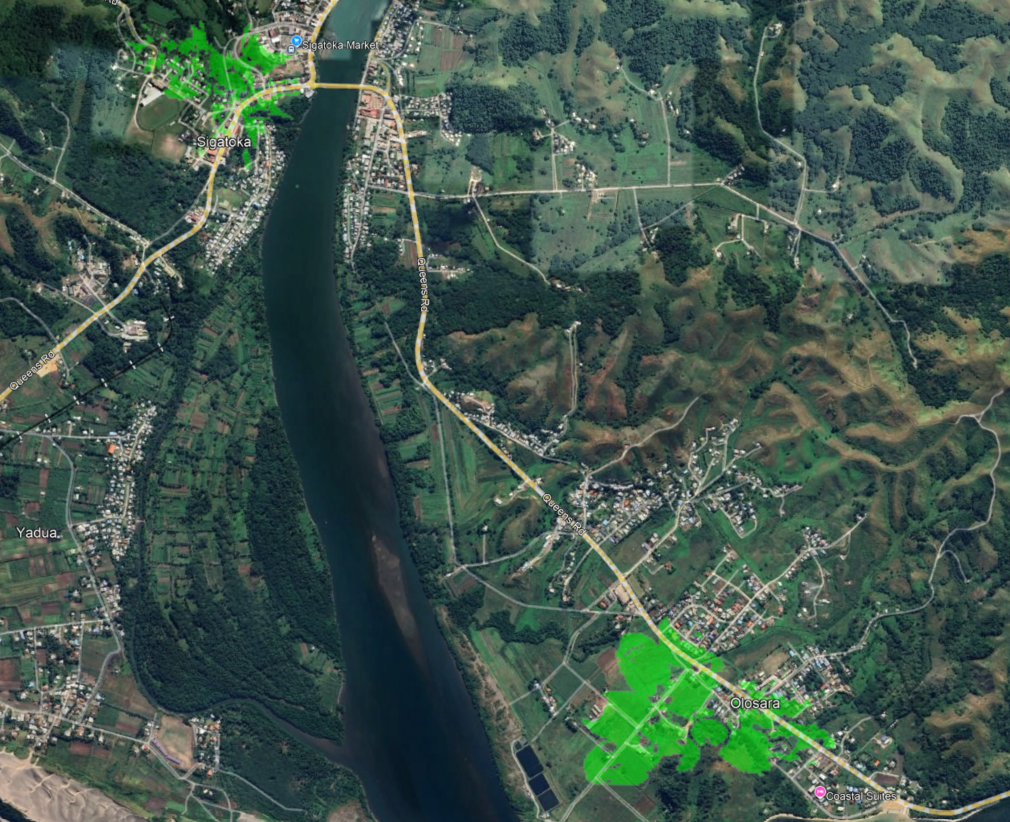
Olosara, Sigatoka Town
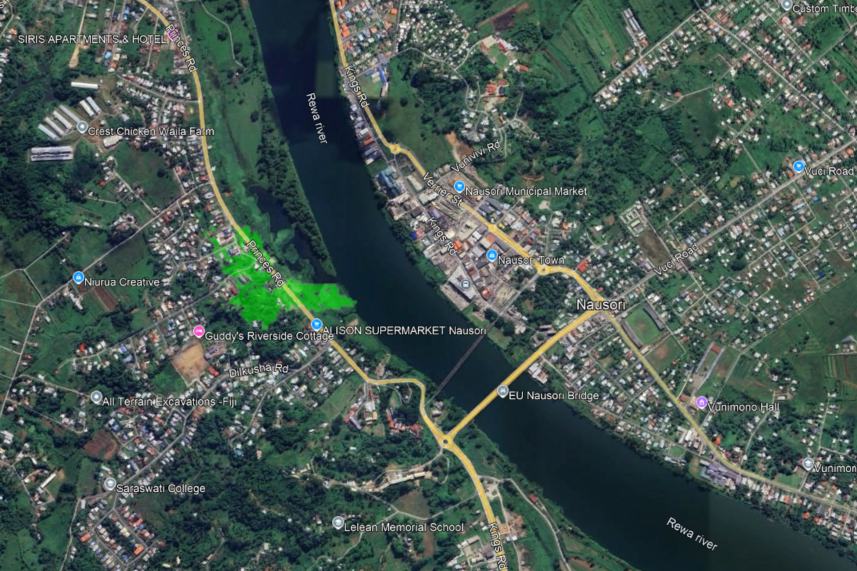
Parts of Nausori Town, Waila Reservoir
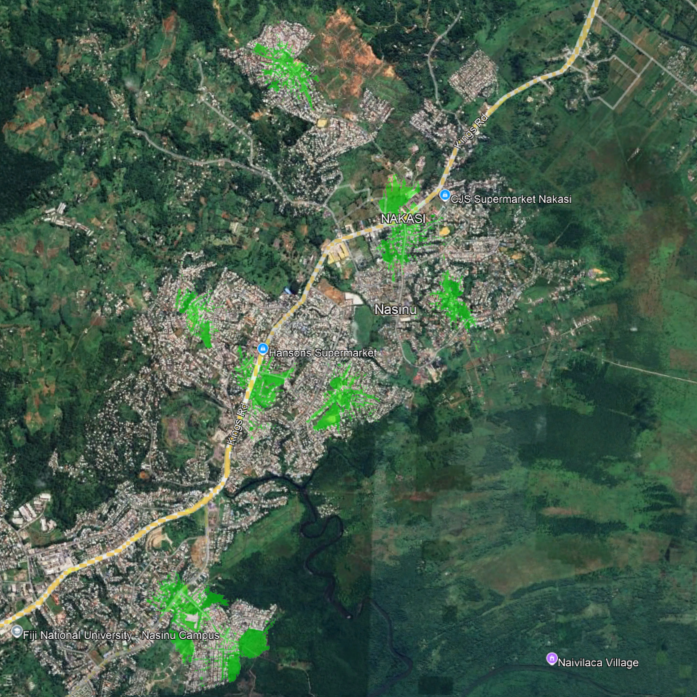
Caubati, Nadawa, Narere (parts), Makoi, Nakasi (parts), Davuilevu (parts) Nadawa Residential, Nasinu police Station, Makoi, Davuilevu Housing, Nakasi Roundabout, Vinod Patel, Ratu Dovi road and Nadawa Road Junction, Matana St - Nakasi, Caubati, Poorva Road, Nasinu Sangam School – Makoi
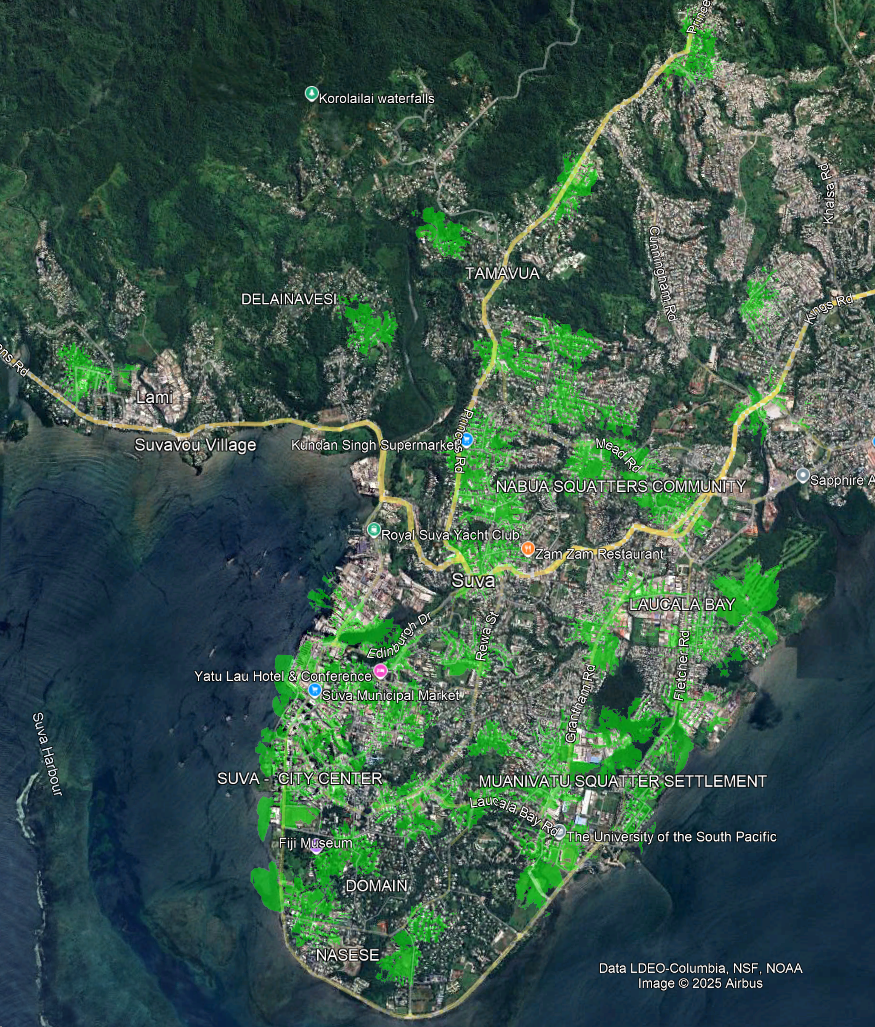
Suva CBD, Toorak, Rifle Range, Vatuwaqa, Raiwaqa, Raiwai, Flagstaff, Suva Point, Domain (parts), Tamavua, Namadi, Nabua (parts), Samabula (parts), Walu Bay (parts), Lami (parts) Delainavesi , Twomey Hospital - Princes Rd, Damodar City - Gratham Road, Cakobau Rd and Domain Rd, Fintel - Rifle Range, Lami Town, Flagstaff Reservoir, Victoria Parade - Suva City, Suva Central, Fiji Village - Waimanu Road, Vuya Rd, Veiuto Rd and Ratu Sukuna Rd, Toorak - Suva, HFC Stadium-Laucala Bay Road, Fiji National University - Samabula, Bureta St and Lovoni Road, Samabula, Nabua RFMF -Mead Road, Vatuwaqa Industrial, Grantham Road - Suva, Tacirua Village - Princes Road, Salato Road - Namadi Heights, Walu Bay Industrial, Nabua Town, Boulevard -Suva City, Carpenter Street - Raiwaqa, Viti Towers - Tamavua, Jai Narayan College - Rewa Street, Vanua House -Suva City, Karsanji Street - Vatuwaqa, CWM Hospital , Berry Road -Suva, FRSC -Ratu Sukuna Road, USP Statham Campus - Fletcher Road, Mark Street - Suva City, Suvavou House - Victoria Parade, Kaunitoni street- Vatuwaqa, Bayview Heights - Suva, Garden City - Grantham Road, Nailuva Road, Lower Ragg Avenue Road, Helson Street - Samabula, MH SuperFresh - Princes Road, Yue Lai Hotel
The eTransport Fiji app is the official mobile app for managing your eCard. It allows you to check balances, view e-tickets, see recent transactions, top up via M-PAiSA, redeem your balance, and more, all from your Android smartphone.
The app is currently available on the Google Play Store, just search for eTransport Fiji. You can download the app from the Google Play Store by searching for eTransport Fiji.
No. You can download and install the app without an eCard. However, to access its key features, such as checking balances, viewing transactions, and topping up, you will need a new eCard. The app also requires a smartphone running Android 9 or higher, with NFC enabled to interact with cards.
NFC (Near Field Communication) allows your phone to tap and interact with the eTransport card, enabling features like instant Balance Checks, Top-Ups, and Redeems directly in the app from your phone.
Some popular NFC-enabled phone models running on android 9.0+ include:
Go to Settings > Connections or Wireless & Networks, and look for NFC. If it is listed, your phone supports it, you can switch it on and get started.
New eCards are available at all Vodafone and Valuefone outlets across Fiji. For first-time registrations, customers are required to present any one valid ID: Voter ID, FRCS Joint Card, FNPF Card, Driving License, Passport, Social Welfare ID for social welfare recipients and FEMIS ID number in an official letter from Head of School for Students.
All cardholders (Red, Yellow, Blue, Purple, Green) using the old eTransport cards are required to upgrade to the new card to access app features, for continued use and compatibility with updated systems. Customers must bring their old card in order to upgrade to the new, old care will be collected and balance (if any) will be transferred to the new card. Customer must also bring the same ID used during initial registration for verification purposes. Cardholders must visit in-person for upgrades, as upgrades cannot be done on someone else’s behalf.
Yes. All cardholders are required to upgrade to the new eTransport card by 15th July 2025.
A $3 fee applies for any additional cards beyond the first issue and first free replacement.
Yes. If you do not have any card registered under your name, your first card and first replacement are FREE. From the third card onward, a $3 fee applies per card.
Yes, if you are upgrading from your first or second old card, the upgrade is FREE. If you already have three or more old cards, a $3 fee applies for each additional upgrade.
A replacement refers to getting a new eTransport card not related to an upgrade (e.g., lost or damaged). The first replacement is FREE. If you already have two cards registered under your name, a $3 fee applies for further replacements (unless it's a valid upgrade).
When upgrading your card, you must bring your old card with you. The remaining balance stored on the old card will be checked and transferred to the new card. Once the upgrade is complete, the old card will be collected and securely disposed of. Third-party upgrades are not allowed, only the registered cardholder can request an upgrade. To upgrade your card, you will need your old card so we can transfer the balance to your new one. We will then collect and securely dispose of your old card. Only the registered cardholder can upgrade a card; third-party upgrades are not permitted.