The Vodafone Mobile Wi-fi creates a personal portable Wi-fi zone which allows several Wi-fi enabled devices (for example PCs, Laptops, Android devices including the Samsung Galaxy Tab, Apple iPhone and iPad or mobile gaming devices) to share a secure mobile internet connection.
Getting Started:
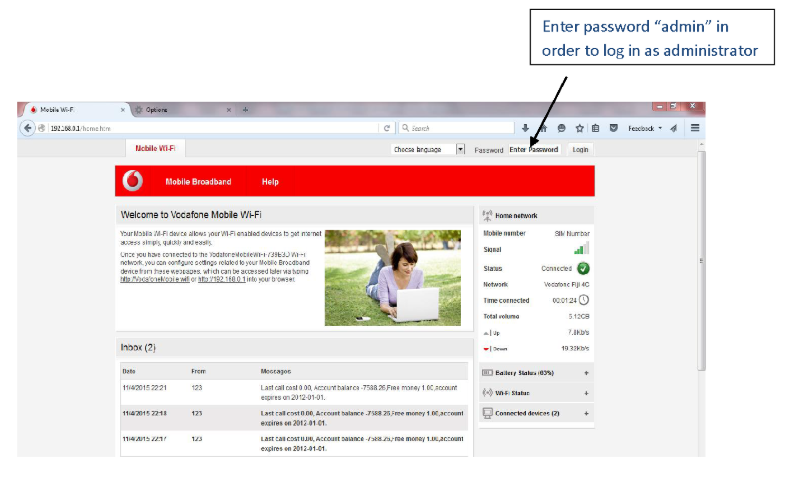
When you are connected to the Vodafone pocket wi-fi via wi-fi or a USB cable, you can access the Vodafone Mobile Wi-fi configuration screen by typing either http://VodafoneMobile.wifi or http://192.168.0.1 into your web browser. Log in as an administrator to make changes. The default administrator login password is admin. You can change settings and check the device and network status from this browser page.

Leave a commentOrder by
Newest on top Oldest on topLoad more comments